

TailwindCSS! Why I changed my mind from hating to loving?

Tailwindcss is a CSS framework focused on utility and fast development, as said in it's own site "Rapidly build modern websites without ever leaving your HTML.". Tailwindcss works based on classes, it abstracts CSS properties in easy and intuitive to use classes, so we can implement styles in our HTML without the need to leave HTML to write a CSS file.
For those who have already worked with bootstrap, it could sounds familiar, but differente from Bootstrap, Tailwindcss gives us simple classes representing CSS properties or a simple expected behavior, making it much more scalable and versatile, allowing the developers to build whatever they want without depending on the framework limitations.
Some examples of tailwindcss classes are:
- p-4: standing for padding: 16px (it works on a base 4, where we should multiply the number in tailwind classes for 4 to find the value in pixels, but that is a subject for another post);
- bg-white: standing for background-color: white;
- animate-spin: standing for the behavior of an animation which spins.
My history with tailwindcss
I first met tailwindcss, in May 2022, in a free online event called NLW (Next Level Week) produced by Rocketseat. In the event we developed a Widget to send feedbacks, that we could add to any project. At that time I liked the promising CSS framework, but when trying to implement it on my own projects, I started disliking and even hating it, because of the density of code it brings to the files.
The first time I said: "NO!"
At the time, I was styling all my projects with styled-components, which I like a lot (and that is another subject for another post), so I was like: "why tailwindcss if styled-component is so much better for me?" (almost a fan thought, what would you say? 😅).
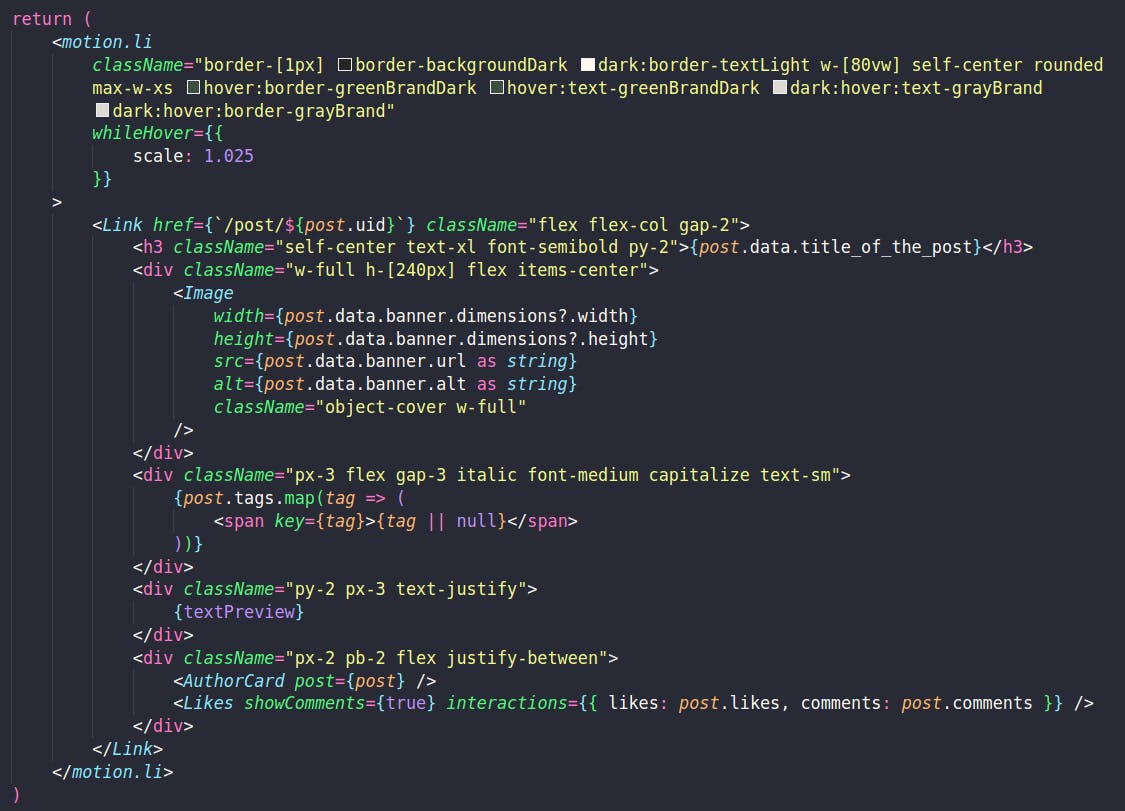
The picture below shows the return of the PostCard component of this blog and as we can see in the "motion.li" tag, when we need a hard style our tag becomes huge because of the amount of classes we need to give it in order to style. It was something that used to disturb me a lot.
And then I said: "YES!"
I stayed some months without using tailwindcss after the first try and then I decided to try it again, given the growth of people using the framework.
More and more I started to understand the purpose of the framework and I started liking it. Some of the advantages of tailwindcss that made me change my mind are:
- Intuitive classes, easy to memorize;
- Very good extensions to VSCode, the editor I use (and love), that helps a lot with the classes;
- Fast development, as we don't need to create separate files for styles (and yes, it makes a huge difference in code speed efficiency);
- The possibility of componentize the interface in React and create files with a small number of lines.
This last point was very important for me and, if you develop with tailwindcss in React and you think your component is hard to read, you should probably consider that the css framework is not the responsible for the bad readability, probably the guilty is your component implementation.
React brings the very strong possibility of taking any component and separate it in smaller ones and when I understood that my components were hard to read because it had a lot of lines of JSX return, not because of the amount of classes tailwindcss needs, it unlocked me to use the tool with the best it offers without suffering to its advantage. Besides that, I started developing more readable React components for applications that uses tailwindcss or not.
Refactor example
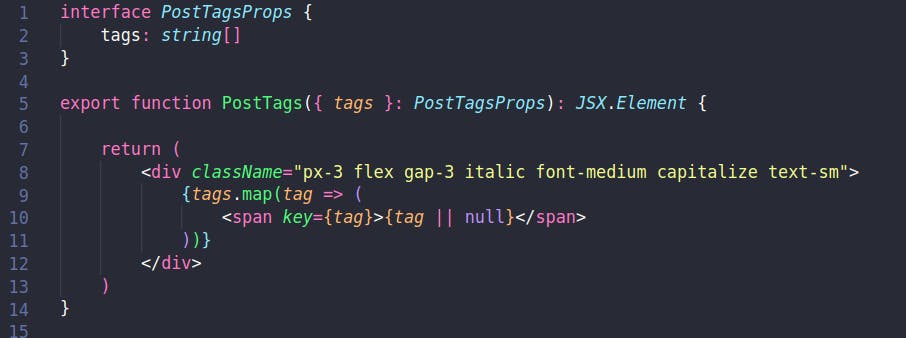
Even the PostCard component presented in the first picture being readable and not really needing a refactor, check how it would be even easier to read after separating some parts in smaller components.
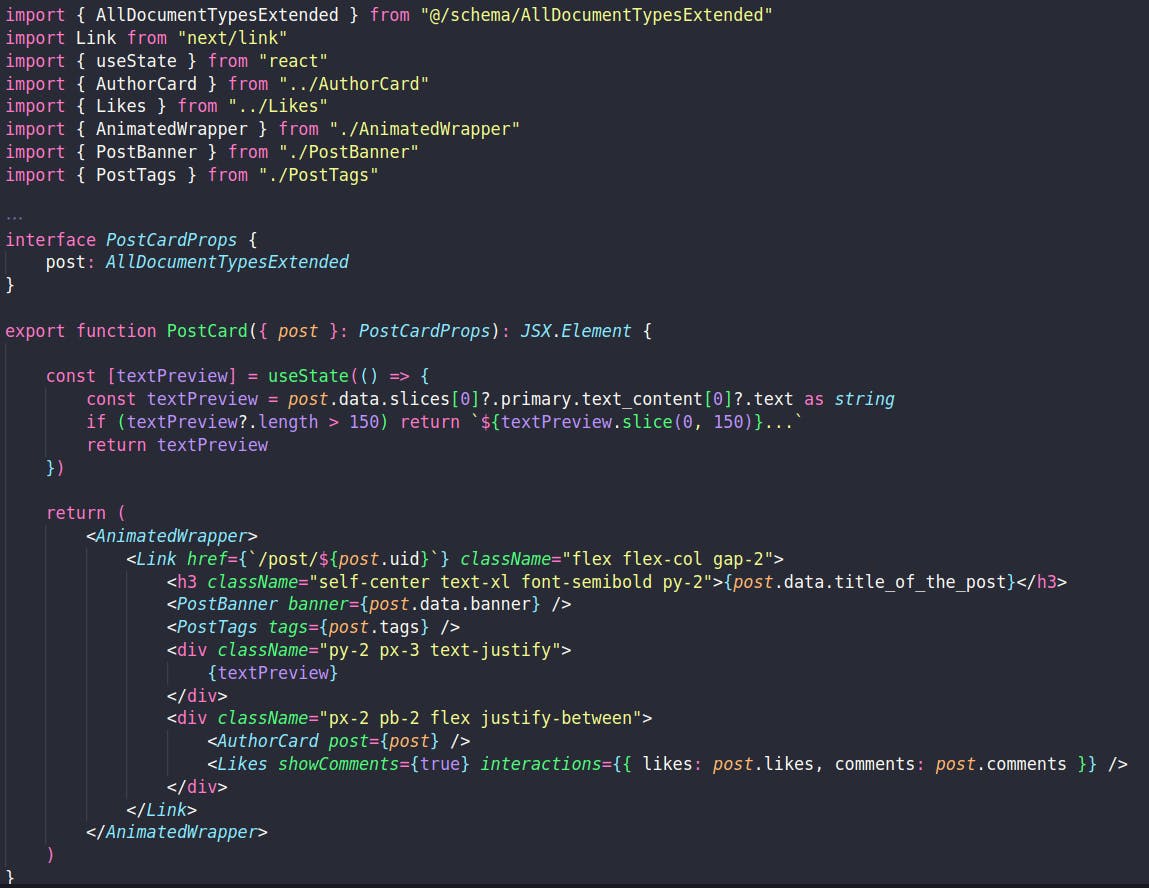
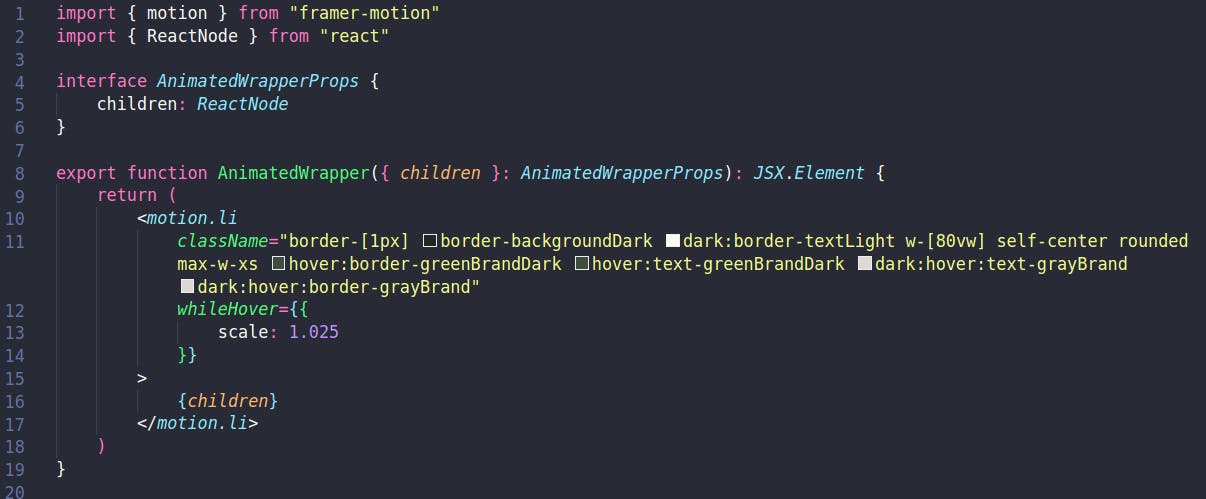
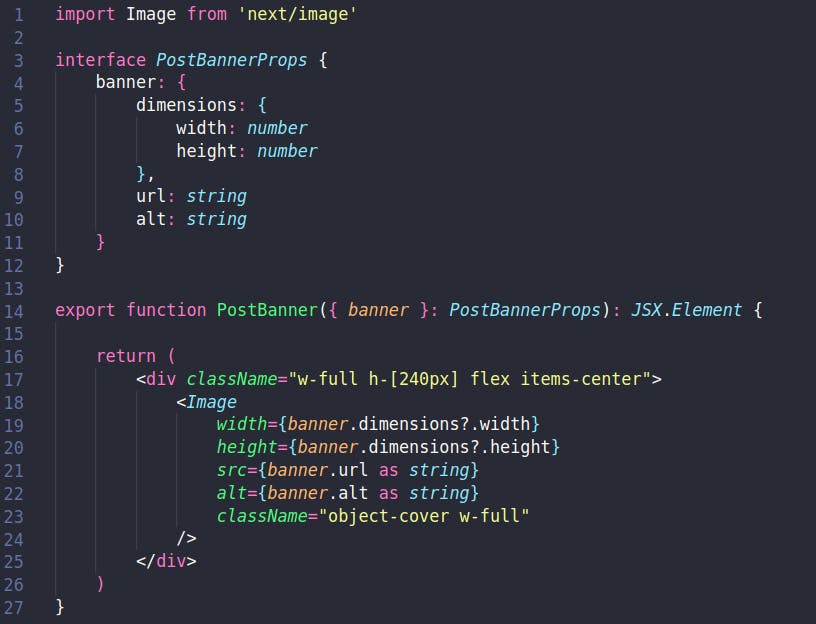
And here are the small components created aside of the main PostCard component, respectively the AnimatedWrapper, the PostCardBanner and the PostCardTags
Are tailwindcss for you, who is reading this post?
I think this would be a strong affirmation and probably a wrong one. I believe there is no perfect tool at all. There are perfect tools for specific situation.
If you are working with a very organized React project that has the implementation following good code practices and it has a good architecture of components, tailwindcss would be a good choice to gain some productivity and save some time.
If your project is going very fast and you (or your team) believes that creating a good architecture of components is a waste of time*, probably tailwindcss will disturb even more the readability of your code.
* believe me, a good architecture and good code practices are never a waste of time. Your future yourself you thanks this "waste of time".
Although, I believe every frontend dev should give it a chance.
- If you develop in the frontend and never tried or heard about tailwindcss, check this link for their documentation and give it a try;
- If you tried once and didn't like, perhaps you should give it a second chance;
- If you use tailwindcss and like it, hit me a high five 🖐.
For those who came to the end of the post, tell me in the comments what you thought about the content.
I mentioned in this post the styled-components, that is another library to style web applications, would you like a post doing a comparison between both libraries?
And what about a most techcnical post, with a getting started in tailwindcss, walking through the installation, configurations and creation of some components from scratch?
Let me know in the comments below and see you next post!